
Maintenance entries — due dates on board in view
Lifejacket serviced, oil changed, anodes replaced: work like this belongs in the logbook — and above all you want to know when it is next due. That is exactly what the “maintenance” entry type with a due date is for (available from version 2.46).
The four entry types
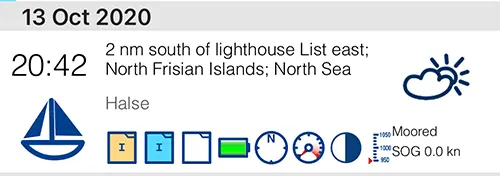
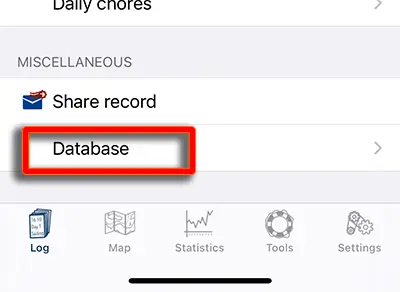
Every log entry has a type. It determines how the entry is shown in the overview and on the chart. You can change the type at any time at the very bottom of the entry under “Database”.
- Automatic entries — created in the background when auto entry is switched on
- Manual entries — created by you or edited afterwards
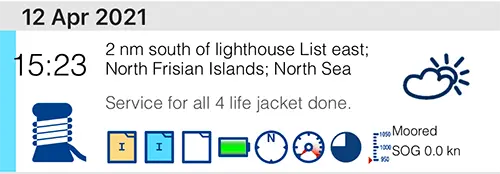
- Maintenance entries — colour coded, optionally with a due date
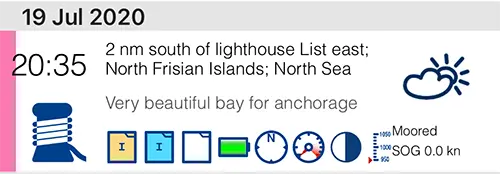
- POI (point of interest) — special places such as a great anchorage





Automatic entries
When auto entry is active (the blue frame is visible), the app creates entries of this type on its own. In the log overview they are shown at half size.
Manual entries
If you create an entry yourself — for instance through a status change or a quick manoeuvre — it is of this type. If you later change something in an automatic entry, it is converted into a manual entry as well.
Maintenance entries
You set this type yourself in the entry under “Database”. While doing so you can add a due date.
Example: you create an entry with the text “Lifejacket XY serviced” and turn it into a maintenance entry with an expiry date in two years — or whenever the next check is due. The same works for flares, the liferaft, an oil change, sacrificial anodes or antifouling.
Under “Tools › Due maintenance” you see everything sorted by due date. There you can remove the due date with a swipe from right to left: the entry stays colour coded but no longer has a deadline.
POI entries
A type to mark special entries — for example a particularly beautiful anchorage you want to find again easily later.