
NMEA — your boat's own readings in the logbook
General information on the NMEA interface
The NMEA interface (National Marine Electronics Association) is implemented and usable — over UDP as well as TCP. You will find the configuration in the settings tab of the app.
Keep in mind
Supported NMEA sentences and data
It does not matter which device an entry comes from: the first two letters after the $ identify the sending device — the app evaluates the sentence regardless.
RMC
Recommended Minimum Navigation Information
Is used to record
SOG, COG and GPS position.
Example sentence
$GPRMC,210730.790,A,5233.215,N,00522.921,E,3.48,65.02,190517,,,D*59
MWV
Wind Speed and Angle
Is used to record
Wind direction and wind speed. No matter whether the source is apparent or true — the wind is converted to true wind. You can also define in the app whether your own course is included (relative or absolute), because some devices factor it in and others do not. More details in the guides.
Example sentence
$WIMWV,109.50,R,5.57,N,A*29
VHW
Water Speed and Heading
Is used to record
Course through the water and speed through the water. Current set and drift are also calculated from the difference to the last RMC sentence containing SOG and COG.
Example sentence
$VWVHW,,T,137.19,M,1.50,N,2.78,K*4E
DPT
Depth of Water
Is used to record
Water depth — it is stored in the database and combined with the offset before saving. The offset is the difference to the sensor, so the real water depth rather than the depth below keel ends up in the logbook.
Example sentence
$SDDPT,4.72,-1.50,*53
MTW
Mean Temperature of Water
Is used to record
Water temperature.
Example sentence
$WIMTW,17.85,C*36
VLW
Distance Traveled through Water
Is used to record
Chip log. Normally this value is calculated by adding the distance to the previous entry — if it arrives over NMEA, it is simply taken as is.
Example sentence
$VWVLW,10986.73,N,10986.73,N*4C
GGA
Global Positioning System Fix Data
Is used to record
GPS accuracy.
Example sentence
$GPGGA,210740.790,5241.615,N,00532.961,E,2,10,1.00,21390621.43,M,-0.01,M,,*4C
Supported NMEA hardware
In general any commercially available NMEA-to-WLAN converter (better known as “NMEA to WiFi”) will do. The list below contains hardware I know is used by customers — it is neither complete nor exhaustive. If you run a device that is not listed here, I am grateful for a short note and will add it.
I earn a commission on the Amazon links. If a link no longer works, I am equally happy to hear from you.
| Hardware | IP / Port | Price | Comment |
|---|---|---|---|
| SWAY | 192.168.4.1 / Port 10110 (UDP), 2001 (TCP) | € @ manufacturer sway-sailing.de | According to the instructions it can also join an existing Wi-Fi network — important for Android users. |
| NMEA2000 WIFI Replicator | 10.10.1.1 / Port 1343 | € @ manufacturer TechnoSpark Systems | Speaks TCP; set it to NMEA 2000 in the settings, NMEA 0183 does not work. |
| SEAYAK Seatalk1 to NMEA WiFi Bridge | 192.168.4.1 / Port 23 | € @ manufacturer or eBay | Converts SeaTalk (proprietary) to open NMEA. The manufacturer has more affordable products. |
| Vesper WatchMate XB-8000 | 192.168.15.1 / Port 39150 | €€€€€ @ manufacturer | smartAIS transponder with Wi-Fi and NMEA 2000 gateway. |
| Yacht Devices NMEA 0183 Wi-Fi Gateway YDWN-02 | 192.168.4.1 / Port 1456 | €€ @ Amazon / manufacturer | With a web server for configuration. |
| Yacht Devices NMEA 0183 Wi-Fi Router YDWR-02 | 192.168.4.1 / Port 1456 | €€€ @ Amazon / manufacturer | With a web server for configuration, and it speaks SeaTalk. |
| Yacht Devices NMEA 2000 Wi-Fi Gateway YDWG-02 | 192.168.4.1 / Port 1456 | € @ Amazon / manufacturer | The smallest stick among the NMEA-to-Wi-Fi converters. |
| QK-A024 AIS receiver with NMEA multiplexer + WiFi | 192.168.1.100 / Port 2000 | € @ manufacturer | The cheapest one. |
| Shipmodule MiniPlex-3Wi(-N2K) | 192.168.1.45 / Port 10110 | €€€€ @ manufacturer | Multiplexer that also speaks SeaTalk. |
| NSS8 chartplotter with GoFree Wifi-1 module | 192.168.0.10 / Port 10110 | €€€ @ Simrad (NSS8 no longer available) | For use with Simrad multifunction displays. |
| B&G Zeus3 | 192.168.76.1 / Port 10110 | — | — |
| Easy TRX, by Weatherdock | 192.168.16.254 / Port 8080 | — | — |
| Data Hub, PredictWind | 10.10.10.1 / Port 11102 | €€€ @ manufacturer | — |
The Logbook app fetches weather data from the internet — convenient, but it describes the region, not your boat. An NMEA connection changes that: the logbook then holds the values your own instruments measured at that exact moment.
What you get from it
The difference shows in every entry. Instead of “wind from the west, 4 Beaufort according to the weather model”, it says what your masthead anemometer really shows — including gusts, wind shadow from land and everything a model cannot know.
- Wind: direction and speed from your sensor, always converted to true wind
- Depth: with an adjustable offset, so the real depth and not just the depth below keel ends up in the log
- Speed and heading through the water — from which the app also calculates set and drift
- Water temperature, log reading and GPS position including accuracy
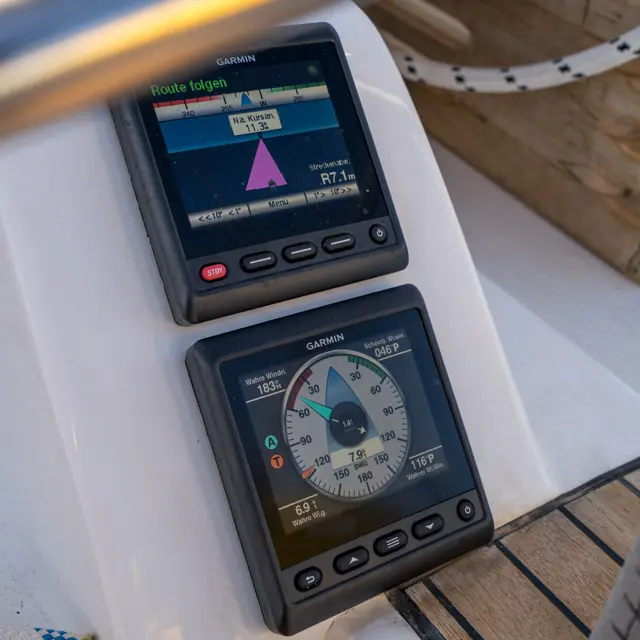
What you need for it
A standard NMEA-to-WiFi converter is enough — often called an “NMEA to WiFi” gateway. It sits on your boat's NMEA bus and provides the data over WiFi, via TCP or UDP. There are devices for NMEA 0183, NMEA 2000 and SeaTalk; prices range from an inexpensive stick to a full multiplexer.
In the app settings you enter the IP address and port of the gateway and connect — after that everything runs automatically. For Android users it is handy if the gateway can join an existing on-board WiFi network.
The app evaluates the received data regardless of the manufacturer. There is one restriction with Raymarine: the built-in WiFi of current devices speaks a proprietary protocol that only Raymarine apps understand. A separate NMEA or SeaTalk-to-WiFi converter solves this.
Good to know
Apple does not allow NMEA data streams to be received in the background: as soon as the app is off screen — including when the device is locked — the connection is closed. That is why the app disables auto-lock while an NMEA stream is active. You can turn the display down to minimum brightness, but you should not lock it.
Technically the app processes the sentences RMC, MWV, VHW, DPT, MTW, VLW and GGA. Which device delivers them does not matter — the app evaluates the sentence regardless of the sender.